

Chrome extension
Best Card
See which of your cards earns the most at the store you are viewing, using current values from Points & Prompts.
This page describes Best Card 0.3.0 (Pending review). Add to Chrome opens the currently published Chrome Web Store listing (version 0.2.0, published July 24, 2026) and may not show the in-review upload until Chrome publishes it.

Toolbar popup and in-page control.
Best Card keeps the recommendation close to the page you are already viewing, with the same wallet and card logic in both surfaces.
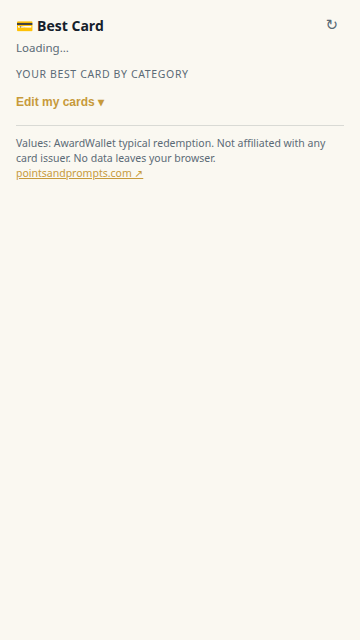
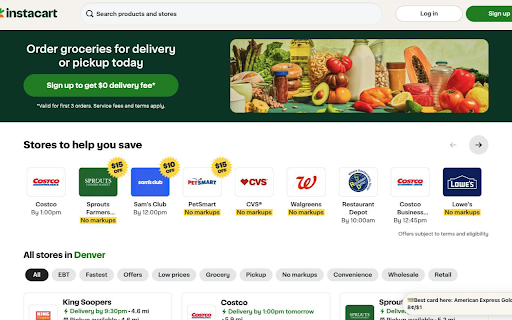
Sample product moments, autoplayed.
These samples show how recommendations appear, how wallet sync interacts with manual card picks, and how stale data blocks output.
Best card on this store tab
Reads the active tab hostname, maps the category, and ranks your selected cards.
Sample UI only. This demo does not read live store page content or scrape checkout text.
How card selection works
- Open the toolbar popup for the recommendation on your current tab.
- On supported merchant pages, the compact top-right control can expand for the same recommendation details.
- If you open pointsandprompts.com, your synced wallet cards are used first; manual picks remain available in the extension.
Data and safety behavior
- The extension reads the active tab hostname locally to map a spending category.
- Card picks are stored in local extension storage unless a synced wallet is available.
- When cached card data is older than 48 hours, recommendations stop until fresh data is available.
Best Card is unofficial, is not affiliated with any card issuer, and does not automate issuer offers. For extension privacy details, see Best Card privacy.